
Field note
Updated Sep 30, 2026
DMS integration without the $15K setup: n8n + CSV
DMS integration at an independent lot is mostly a scheduled CSV export with error alerts. Here is how n8n does it without a $5K to $15K setup fee.


DMS integration at an independent lot usually means a scheduled CSV export, a field map and error alerts, not a $15,000 project. Frazer, Wayne Reaves and Autosoft all export the data you need, and n8n can pull it on a schedule and push it to your CRM, listing feeds and AI tools. I set this up as part of my AI automation for independent used-car dealers work.
What the $15,000 DMS integration fee is actually for
 When a franchise-tier AI vendor quotes you $5,000 to $15,000 for DMS integration, most of that number is not engineering. It is vendor margin, integration-partner fees that flow back to the DMS provider, and a professional services tier the vendor uses to justify their enterprise price point.
The actual technical work is a scheduled data pull, a schema mapping layer, and error handling. That is it. A mid-level developer can spec this out in an afternoon. The reason it costs $15K at a vendor is that the vendor has negotiated data access agreements with CDK, Reynolds, and Dealertrack that cost them real money to maintain. Those agreements require certification, liability indemnification, and renewal fees. The vendor bakes that cost into every customer, including customers on Frazer who do not need any of it.
If you are on an independent DMS, you are paying franchise-integration overhead for a connection that does not apply to your stack. That is not a fee structure designed for you. It is a franchise-first pricing model that you happen to be caught in.
What independent DMS platforms actually expose
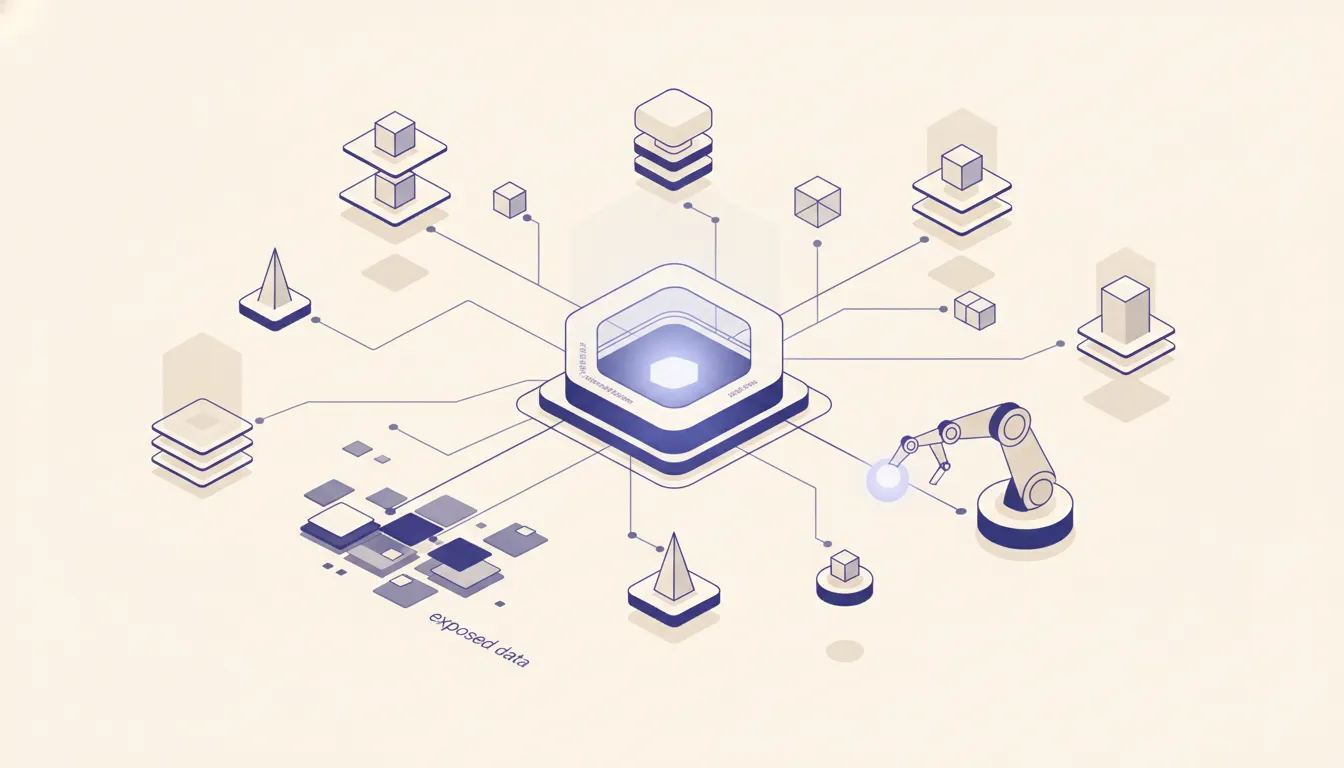 The good news is that every major independent DMS gives you the data. The access mechanism is just less polished than a REST API.
Frazer has a CSV export built into its reporting module. The inventory export is documented, consistent across updates, and includes all the fields you need: stock number, VIN, year, make, model, price, status, days on lot. You can configure a scheduled report that drops a file to a local path or mapped drive on whatever schedule you set.
Wayne Reaves has a scheduled reports feature that can generate inventory and deal exports on a timed basis. The format is consistent, and the platform support team is generally helpful about custom report configurations. Autosoft works similarly, with CSV exports available through the reporting module. DealerSocket on its independent tier does offer API access, but it sits behind a higher subscription tier. If you are on DealerSocket and want API access without upgrading, the CSV path is still your fastest option. CDK Global and Reynolds and Reynolds are the exceptions. Both operate closed integration ecosystems built around franchise agreements. If your DMS is CDK or Reynolds, you are at a franchise store and this post is not written for you.
The CSV-pull pattern with n8n
The core pattern is simple. n8n runs a scheduled n8n trigger every 15 to 60 minutes. That trigger either reads a CSV from a local file path shared over a network mount, pulls from an SFTP server your DMS writes to, or fetches a report URL that returns CSV on demand. n8n parses the CSV into rows and compares each row against a stored copy of the previous pull. The comparison produces a diff: new vehicles added, existing vehicles with changed fields (price drops, status changes, new photos), and vehicles removed from inventory.
Those change events fire downstream. New inventory triggers a webhook to your AI lead scoring tool so it can match incoming leads against what you actually have on the lot today. Price changes push to your Cars.com and Autotrader feeds so listings stay accurate without manual updates. Status changes (vehicle sold) trigger a CRM update that stops follow-up sequences for leads that were asking about that unit. All of this runs without anyone touching a keyboard. The same feed can give an AI auction scoring tool your current stock, so its picks fill gaps instead of doubling up.
The n8n workflow that does this is not complex. It is a Cron node, a Read CSV node or HTTP request, a Compare Datasets node, and three to five downstream webhook or API calls. The configuration takes a day to build, another day to test, and one more day for the error handling layer. You are not buying months of engineering. You are buying three days of focused configuration work. If you are uncertain whether self-hosted n8n or cloud makes sense for your volume, the cost breakdown in self-hosted vs cloud walks the full math.
What you lose with CSV vs real-time API
Being honest about the tradeoff: a scheduled CSV pull has latency. If your DMS exports every 30 minutes and n8n pulls every 30 minutes, a vehicle that sells at 9:02 AM may still show as available in your downstream tools until 10:01 AM. For inventory display on your own website, that is a real problem. A customer who clicks on a vehicle that sold an hour ago has a bad experience.
For 99 percent of dealer workflows, the latency does not matter. Lead scoring does not need to know within two minutes that a vehicle sold. Reporting does not care if the count is 30 minutes stale. Follow-up sequence suppression does not need to be instant. The cases where real-time data matters are public-facing inventory display and pricing feeds to aggregator sites like Cars.com and Autotrader where you pay per click and do not want clicks on sold inventory. For those two use cases specifically, a real-time API connection is worth pursuing. For everything behind the scenes, CSV on a schedule is sufficient and costs a fraction of the integration fee.
Error handling: what the vendor integration provides that you need to build yourself
Here is where the $15K integration fee has a legitimate argument. Enterprise integration vendors do provide robust error handling that a DIY build does not have by default. What they provide: automatic retry on transient failures (network hiccup, DMS timeout), alerting when a pull fails three times in a row, logging of every row processed and every error encountered, and a dead-letter queue that holds unprocessable rows until someone reviews them.
These are not hard to build in n8n. They are n8n-native features. The retry behavior is a configuration option on the n8n trigger node. The alerting is a Slack or email node that fires when an error condition is met. The logging is a Write to Database node that records every workflow run. The dead-letter handling is a separate branch that catches parse errors and routes them to a review queue in Airtable or a Google Sheet.
Building the error handling layer adds one to two days to the project. Without it, your integration will eventually fail silently. A CSV format change in a DMS update, a network share that gets remapped, a report that returns an HTML error page instead of CSV: all of these break silent pulls. You want to know about them within 15 minutes, not three days later when someone notices the data is stale. Build the alerting. It is not optional.
A realistic week-one configuration
Day one is discovery. Pull a manual CSV export from your DMS today, open it, and inventory every column. Map which fields flow to which downstream tools: which columns go to your CRM, which go to your listing feeds, which go to your AI tools. This mapping document is the spec for everything that follows.
Day two is the pull workflow. Build the n8n trigger, wire up the CSV read or SFTP pull, and confirm you are getting clean data. Do not connect downstream tools yet. Just validate that the CSV comes in correctly formatted on every run. Run it manually 20 times across different times of day to confirm the DMS report is consistent.
Day three is schema mapping. Take the validated CSV data and transform it to match the format each downstream tool expects. Your CRM wants different field names than your AI scoring tool. n8n's Set and Code nodes handle this without custom software. Day four is error handling and alerting. Add retry logic, add the Slack or email notification on failure, add the dead-letter branch for rows that do not parse. Run a test where you intentionally break the CSV to confirm the alert fires. Day five is go-live in shadow mode. Turn on the live workflow but keep the manual process running in parallel for 48 hours. Compare outputs. When they match, cut over and shut down the manual process.
That is the full configuration. Five days from nothing to a running dealer DMS integration that handles retries, alerts on failure, and feeds every downstream tool you have.
When you need a real DMS API integration
There are two scenarios where CSV-on-a-schedule is not the right answer.
The first is real-time public inventory display. If your website shows live inventory pulled from your DMS, 30-minute latency means customers see sold vehicles. The fix is either a real-time API connection or a webhook from your DMS that fires on every inventory change. Some DMS platforms offer this at higher tiers. If they do not, a workaround is to keep your website inventory managed separately and use the n8n integration to keep it in sync, accepting that it may lag by one polling cycle.
The second is bidirectional sync. If an external tool needs to write data back into your DMS, CSV import is the only path on most independent platforms, and it is manual. Deal records, service appointments, financing decisions: if you want those to flow back into your DMS automatically, you need a write API that most independent DMS platforms do not expose. Check your DMS documentation before assuming this is possible. For most independent dealers, the data flow is one direction: out of the DMS and into tools. That is what the CSV pattern handles well.
DMS platforms by integration ease (ranked)
- Easiest: Frazer. Clean CSV export with documented column names. Consistent format across versions. Scheduled report available natively. Best option for independent dealers building their first n8n integration.
- Medium: Wayne Reaves. Scheduled reports work reliably. Support team is responsive to custom report configurations. Minor quirk: timestamp formatting varies by region settings.
- Medium: Autosoft. CSV exports are available through the reporting module. Field naming is slightly inconsistent across report types, which requires a mapping step in n8n.
- Harder: DealerSocket independent tier. API access exists but requires the higher subscription tier. CSV path works but involves more manual configuration than Frazer.
- Blocked: CDK Global and Reynolds and Reynolds. Franchise-only. API access requires certified integration partners and the associated fees. If you are on either of these, you are not on an independent DMS and the CSV approach does not apply.
Want to know exactly what is integratable from your DMS and what three workflows to build first? Run the AI Operations X-Ray. You will get a ranked list of the highest-value automations for your specific setup, based on what your lot actually does.
If a vendor is pitching you a franchise-style AI tool instead, my note on why big dealer AI tools don't fit independent lots walks through the tradeoff. My used car dealer page, linked just below, covers the rest of what I build for independent lots.
FAQ
Frequently asked questions
01What if my DMS does not have a CSV export I can schedule?
Most do, buried in the reports module. Check your DMS documentation or open a support ticket asking specifically for a scheduled report export. If the answer is genuinely no, SFTP access to a daily dump is the next option. Frazer, Wayne Reaves, and Autosoft all support at least one of these paths.
02How often can n8n pull a DMS CSV without getting rate-limited?
CSV exports from a file path or SFTP have no rate limit. If you are pulling from a web report URL, every 15 minutes is safe for most DMS platforms. For Frazer specifically, every 30 minutes is the recommended floor to avoid timeout errors on large inventory files.
03Does this work with CDK or Reynolds?
No. CDK Global and Reynolds and Reynolds operate closed-book API ecosystems designed for franchise dealers. Access requires going through certified integration partners, which is exactly where the $5K to $15K fee comes from. If your DMS is CDK or Reynolds, you are at a franchise store and a custom CSV approach is not the right path.
04Can n8n write back to my DMS?
Only if your DMS exposes a write API or accepts file imports. Most independent DMS platforms do not have a public write API. You can push updates to your CRM, your AI tools, and your listing platforms from n8n. Writing deal records back to Frazer or Wayne Reaves typically requires manual entry or an import process those platforms define.
05What is the simplest thing to build first with DMS data?
Inventory sync to a Google Sheet or Airtable base. Pull the CSV on a 30-minute schedule, diff it against the previous pull, write new and changed rows to the sheet. That sheet becomes the source of truth for every other tool: Cars.com feeds, CRM updates, AI lead scoring. Start there before building anything more complex.
06What does a dealer management system integration cost?
Franchise-focused vendors often quote $5K to $15K, and much of that pays for data access deals with CDK, Reynolds and Dealertrack. For an independent DMS, the work is about three to five days of n8n setup, including error handling. After that, you pay for hosting and the tools the data feeds.
