
Field note
Updated Sep 30, 2026
CRM for home builders: track jobs, not just leads
A CRM for home builders should track permits, selections, change orders and the build schedule, not just leads. Here is how to pick one your team will update.

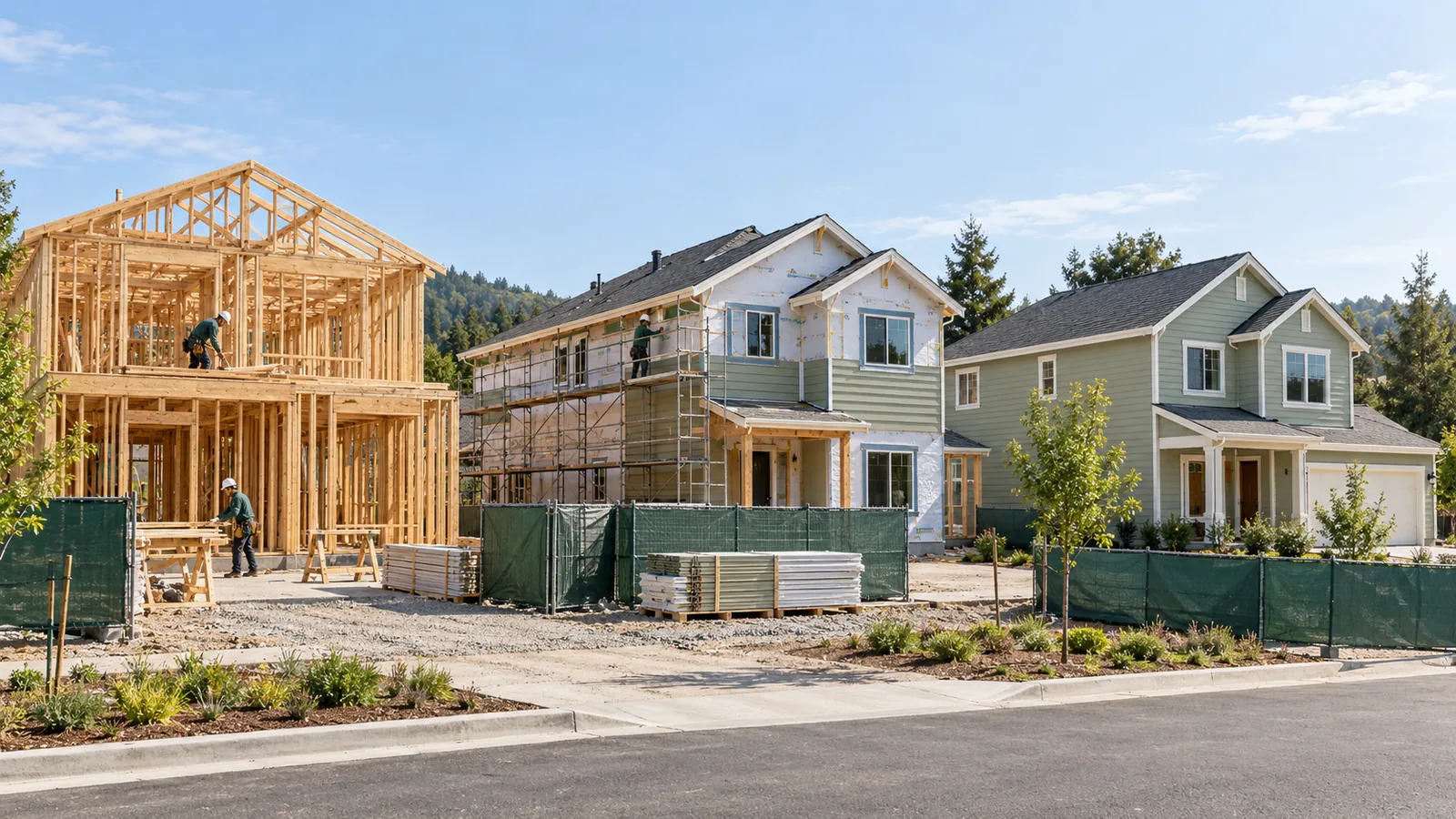
A CRM for home builders should track the whole build, from signed contract to final walk-through, not just the leads at the top. It should show permits, selections, change orders and schedule changes in one place your office will actually update.
I cover this as part of my AI automation for trades contractors work.
Most CRM pitches for home builders start with a different assumption: your problem is leads, and your CRM should help you close more of them faster. That is the wrong problem.
The home builders who actually need a CRM are not failing to close deals. They are failing to track what happens after the contract is signed. Permits slip. Selections fall behind. Change orders do not get invoiced. Buyers show up for a walk-through and the house is not ready because nobody updated the schedule.
A CRM that only tracks the top of your pipeline will not fix any of that. You need a CRM that tracks the entire build lifecycle, from signed contract to final walk-through, and gives your operations team a real-time view of what is actually happening on the lot.
Why most home builder CRMs miss the point
The tools marketed to home builders typically fall into two categories: real estate CRMs with a home building skin, and project management tools that rebranded themselves as CRMs.
Real estate CRMs work well for production builders with standardized plans or planned subdivisions. You track leads, move them through a pipeline, and convert them to contracts. The pipeline metaphor maps cleanly to your sales process.
Custom builders have a different problem. Every job is a project with fifty moving parts, and those parts do not fit neatly into a stage-gated deal pipeline. When your CRM only knows "contract signed," you lose visibility into everything that happens between contract and close.
Project management tools like Buildertrend were built for this workflow, but they were built for project managers, not for the sales-focused office staff who typically own the CRM decision. That is why Buildertrend adoption often stalls. The tool does not look like a CRM, so nobody updates it.
The better approach for most small custom builders is a CRM that handles the front end (lead tracking, follow-up cadences, buyer communication) and a separate ops layer that tracks job status, selections, and change orders. You do not need one tool that does everything. You need two tools that talk to each other.
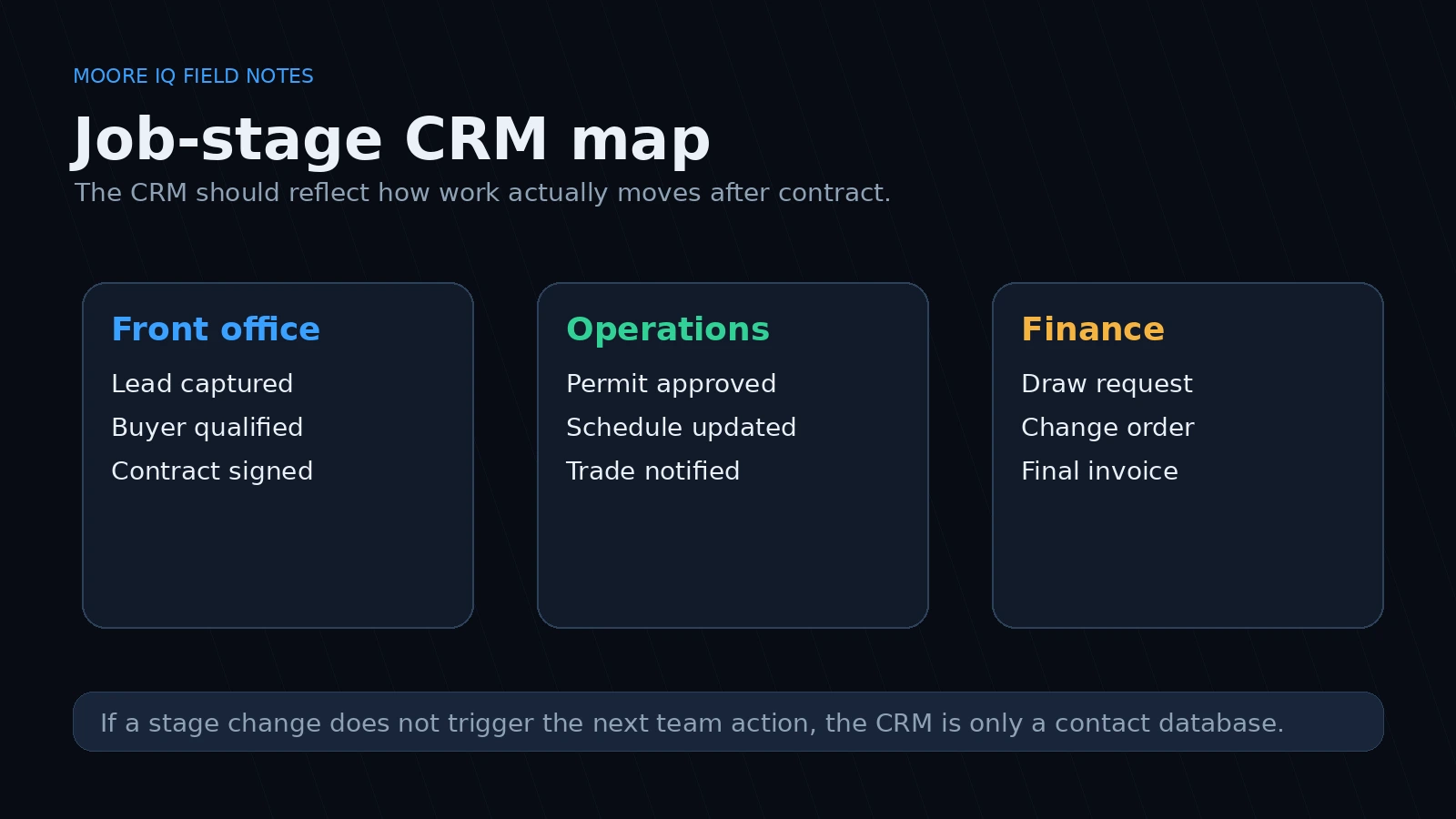
The right question is not whether the CRM has every feature. The right question is whether a stage change creates the next operational action without someone copying context into a second system.
The builder CRM integrations that actually work
For a small home builder with one to three crews, the CRM integration stack that tends to survive contact with real work is:
QuickBooks or your accounting tool. Every payment, change order, and draw request should flow from your ops tool into accounting without re-keying. If your CRM or job tracking tool does not integrate with QuickBooks, your office staff will spend half their time copying numbers between systems.
Email and text. Your buyer follow-up cadence and your ops updates should live where your team already communicates. If the CRM requires a separate login that nobody checks, it will not get updated. Gmail or Outlook integration is not optional.
A scheduling or project management tool. This is where the build actually lives. For production builders, this might be a simple spreadsheet. For custom builders, it is probably Buildertrend, CoConstruct, or something similar. The CRM needs to know when a job milestone changes so it can trigger the right follow-up action, whether that is a buyer update, a trade notification, or an internal alert.
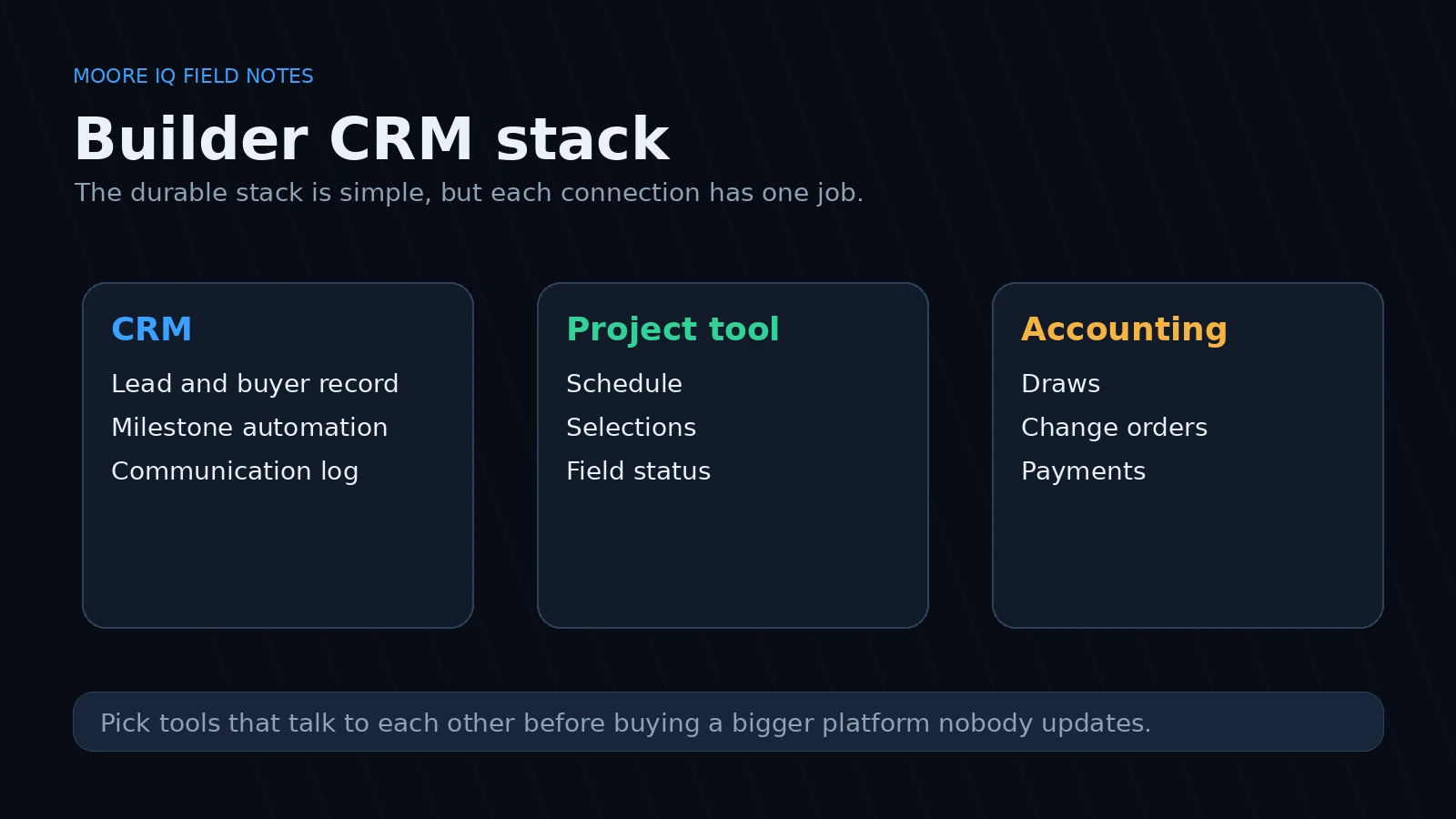
This is also where standards matter. If your team treats job status as a shared operational record, the CRM becomes part of your management system instead of a separate sales notebook. The same principle shows up in ISO 9001's focus on documented information and evidence-based decisions, even if you are not pursuing certification.
Avoid tools that require dedicated admin time. Most small home builders have one or two office staff who juggle everything. A CRM that requires weekly admin attention is a CRM that will get ignored.
Picking the right tool for your build model
Production builders selling from inventory or planned subdivisions with limited options have a simpler CRM problem. Leads come in, you qualify them, you move them through a pipeline, and you close. The pipeline metaphor works. What you need is:
- Fast lead capture from your website, ads, and referral sources
- Follow-up cadences that do not require manual reminders
- Integration with your accounting tool for draw tracking
- Visibility into spec inventory and lot availability
HubSpot free tier or Pipedrive Essential handles this for most production builders under fifty closes per year.
Custom builders have a harder problem because every job is different. What you need is:
- A way to track the selection and change order process without burying it in email
- Visibility into permit and inspection timelines
- Trade communication tracking (who is on site, when, and what they are waiting on)
- Buyer communication that does not go through personal email
Buildertrend or CoConstruct gives you the job tracking layer, but you still need something for the front end. A HubSpot or Pipedrive instance that focuses purely on lead tracking and buyer communication, integrated with Buildertrend via API or Zapier, covers both workflows without requiring one tool to do everything. If you are deciding whether the CRM should own the automation layer, compare that choice against the n8n vs Zapier vs Make decision frame before you wire the first workflow.
The common mistake is buying the most expensive CRM you can find and then not using it because it does not match how your build actually moves. A cheaper tool that your team actually updates is worth more than a powerful tool that nobody touches.
When to automate the follow-up
One of the real advantages of a CRM for home builders is automated follow-up around build milestones. When done right, this replaces the manual check-in calls that your office staff spends hours on.
Milestone-based automations that actually work:
- Automated buyer update when a permit is approved
- Automated trade notification when a stage is ready
- Automated selection reminder when a deadline is approaching
- Automated post-close follow-up for referrals and reviews
What does not work: automated "just checking in" emails that buyers start ignoring. Your follow-up needs to be tied to a specific event or deadline, not a generic nurture cadence. Generic nurture cadences are for leads. Buyers want specific updates about their specific house.
The workflow fix comes before the tool fix
Before you buy a CRM, map your current workflow in plain terms. Who touches the buyer at each stage? What information do they need? What gets updated, by whom, and when? What breaks when that update does not happen?
Most CRM failures in the home building industry are not tool failures. They are workflow design failures. The tool got implemented without answering those questions first, so the CRM ended up tracking the wrong information in the wrong fields. That is the same failure behind most "tool problems" that turn out to be architecture problems: the system of record gets picked before anyone defines how the work really moves.
If your team is avoiding the CRM because it does not match how a build actually moves, that is a signal. Stop buying new tools and fix the workflow first. Then buy the tool that fits the workflow you actually want.
The CRM is a container. It holds whatever you put in it. If you are putting in the wrong data, the CRM will not save you.
What actually changes when you get this right
The builders I have seen successfully implement CRM workflows report the same shift: fewer surprises.
Fewer missed permit deadlines because the CRM alerted the office staff two weeks out. Fewer buyer complaints about lack of updates because automated milestone emails replaced the "I forgot to call" gap. Fewer change orders slipping through without invoicing because the selection deadline triggers a billing workflow.
That is the ROI case for a home builder CRM. Not "more leads." Fewer operational surprises that cost you money and reputation.
If your current system is working and your team is not dreading Monday morning, you probably do not need to change anything. If you are losing deals to communication gaps or missing change orders that should have been invoiced, the CRM question is worth asking. But ask it as an ops problem first, and a tool problem second.
If change orders and selections are where your builds lose money, my AI estimating software for contractors page shows the first piece I would fix.
Related field notes
- Field service software for small business: what to test before a field team switches tools.
- Construction management software for small business: how to keep jobs, changes and billing in one trusted record.
FAQ
Frequently asked questions
01Should a home builder use a CRM built for real estate agents?
No. Real estate agent CRMs optimize for lead follow-up cadence and open house tracking. A home builder needs to track permit approval timelines, lot availability in specific subdivisions, selections and change orders, construction schedules, and closing logistics. Those are different workflows. HubSpot or Pipedrive configured for home building is usually more useful than a real estate-specific tool that does not handle job stages well.
02What integrations does a home builder CRM actually need?
The non-negotiable integrations are your accounting software (QuickBooks, Sage, or Xero), your scheduling or project management tool (Buildertrend, CoConstruct, or even a spreadsheet if that is what your team uses), and your communication stack (email and text). Everything else is secondary. If the CRM cannot pull in your cost data or push job status updates to your subs, your team will maintain two systems and both will be wrong.
03Is Buildertrend a CRM or a project management tool?
It is technically a project management tool, but most small home builders use it as a CRM because it handles the full build lifecycle. The distinction matters less than whether your team can use it consistently. If you have a dedicated office person updating Buildertrend, it can replace a CRM for many small builders. If your field team is supposed to update it between tasks and nobody does, you have a data problem, not a tool problem.
04How do you handle buyer selections in a CRM?
Most CRMs handle selections as a custom field or a linked table. If your buyers make fifty decisions during a build, those decisions need to live somewhere visible to your ops team, not buried in an email thread or a paper binder. The CRM does not need to own the selections process. It needs to track the status of each selection and surface the open decisions before they delay the schedule.
05What about CRM for custom home builders vs production builders?
The workflows diverge after lot selection. Production builders in planned subdivisions benefit from CRM automation around lead follow-up and spec inventory. Custom builders need better field tracking because every job is different. The CRM gap for custom builders is usually the selection and change order process, not the initial lead pipeline.
06What should a home builder CRM track after the contract is signed?
Permit and inspection dates, buyer selections, change orders, the build schedule and trade updates. It does not have to own every detail. It does need to know when a job milestone changes so the right buyer update, trade notice or billing step goes out.
