
Field note
Updated Sep 30, 2026
Recruitment workflow: stop losing candidates in handoffs
A recruitment workflow is not a list of ATS stages. It keeps candidates, recruiters, hiring managers, and next actions from drifting apart at every handoff.


A recruitment workflow is the sequence that moves a candidate from first source to a hiring decision, with a named owner and next action at every handoff. It is not the list of ATS stages. Candidates usually get lost between those stages, and that gap is where my work with recruiting firms starts.
Most teams still talk about recruitment workflow like it means ATS stages.
Applied. Screened. Submitted. Interviewing. Offer. Hired.
Those stages matter, but they are not the workflow. They are the labels left behind after the real work has already moved through a dozen handoffs: a sourcer flags a candidate, a recruiter decides whether to call, a hiring manager gives partial feedback, an interview panel waits on a calendar hold, an offer sits without a follow-up owner, and the second-best candidate disappears into a tag nobody checks.
A useful recruitment workflow does one simple thing: it keeps ownership and next action attached to the candidate while the work moves between people and systems.
That is the real problem. Not more sourcing volume. Not another AI ranking feature. Not a prettier ATS board. The problem is that recruiting revenue and candidate trust leak through small handoffs that nobody owns by Friday afternoon.
So the first question is not which tool should replace your ATS. The first question is which handoff is costing placements, speed, or trust right now.
A recruitment workflow is not the ATS pipeline
An ATS pipeline records status. A recruitment workflow moves work.
That distinction sounds small until you inspect a real desk. The ATS might say a candidate is submitted, but the recruiter knows the hiring manager has not replied. The calendar says the second interview happened, but the feedback is buried in a text. The CRM says the client is active, but the job requirements changed in a call nobody logged. The spreadsheet says silver-medal candidates exist, but nobody owns the reactivation cadence.
The workflow is the layer that decides what happens next when each of those events occurs.
A good recruitment workflow answers five questions for every candidate:
- Who owns the next action?
- What event created that action?
- What information is missing?
- What happens if nobody responds?
- Where is the source of truth after the action is complete?
If your team cannot answer those questions without asking the recruiter who touched the record last, the workflow is not designed yet. It is living in habits.
That is not a criticism of recruiters. Recruiting is full of exceptions. Candidates change compensation expectations, hiring managers rewrite requirements, interviewers delay feedback, and client urgency swings from quiet to emergency. A workflow that pretends everything is linear will fail by lunch.
The point is to design for that reality. The workflow should make exceptions visible instead of letting them hide in inboxes.
Map the handoffs that change money
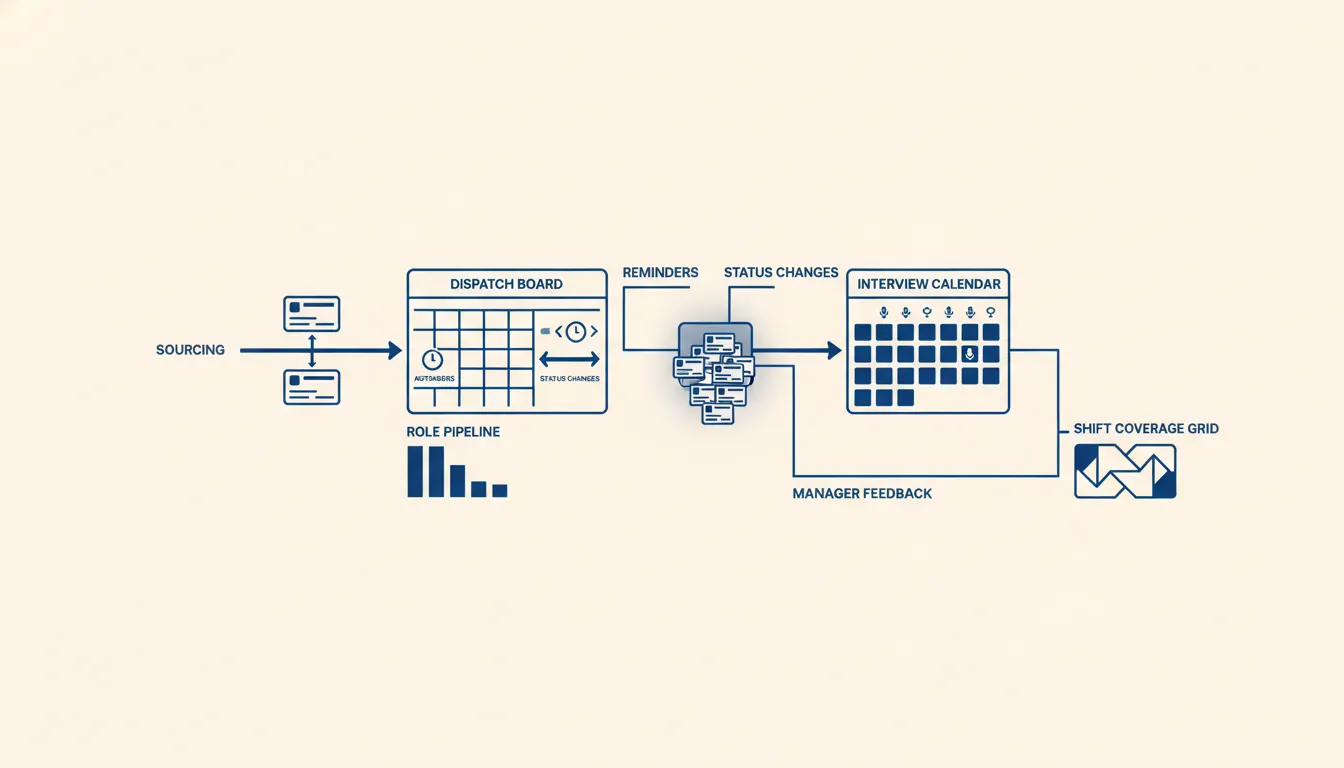
Do not start by mapping every recruiting activity. Start with the handoffs where delay changes money or trust.
For a staffing firm, the expensive handoffs are usually:
- New client requirement to sourced candidate list.
- Sourced candidate to recruiter review.
- Recruiter screen to client submission.
- Client submission to hiring manager feedback.
- Interview completed to decision.
- Offer sent to accepted, declined, or rescued.
- Strong rejected candidate to future nurture.
For an in-house talent team, the recruitment process workflow follows the same pattern with different names: intake, recruiter screen, hiring manager review, panel scheduling, debrief, offer approval, and candidate disposition.
The failure mode is almost always ownership drift. A candidate is technically in a stage, but no person owns the next action with enough context to move it. The ATS can report the stage. It cannot always prove that the next action is real.
That is why the first automation should often be an exception queue, not a fully automated candidate journey.
If a candidate has been submitted for 48 hours with no manager feedback, surface it. If an interview happened yesterday and no scorecard exists, surface it. If an offer is open and the candidate has not been touched in 24 hours, surface it. If a silver-medal candidate matches a new role, surface it for recruiter review.
None of those actions require AI to decide who gets hired. They require the system to find stalled work and put it in front of the right human.
Keep AI out of the silent rejection seat
Recruiting is one of the fastest places to misuse AI because the pressure is real. Too many resumes. Too many reqs. Too many messages. Too little time.
The tempting answer is to let a model rank, filter, and reject.
That is also the riskiest answer.
The safer pattern is to use AI for structured signal extraction and routing. Let it read a resume, call transcript, email thread, or job description and extract facts: location, compensation range, certifications, availability, recent titles, required skills, gaps in the record, and possible mismatch flags. Then show those facts to the recruiter or hiring team.
The decision stays human, or at least deterministic and reviewable. That also aligns with the operational discipline behind structured interviews: define the signal you are evaluating, collect it consistently, and keep the decision process legible.
That is the same point in the AI resume screening piece. The model can help read the material. It should not become a hidden rejection engine that nobody can audit. The EEOC has also warned employers that algorithmic hiring tools can create liability under federal employment law when they cause disparate impact, even when the tool comes from a vendor. Their technical assistance on AI and Title VII is worth reading before you let any workflow auto-reject people.
The practical rule is simple: AI can prepare the next action, but sensitive actions should start in review mode.
Review mode can still save time. A workflow can draft the client update, summarize the interview notes, flag missing manager feedback, classify inbound candidate replies, or prepare the silver-medal shortlist. The recruiter sees the work and approves the next step.
That preserves speed without turning the workflow into a black box.
Build one exception queue first
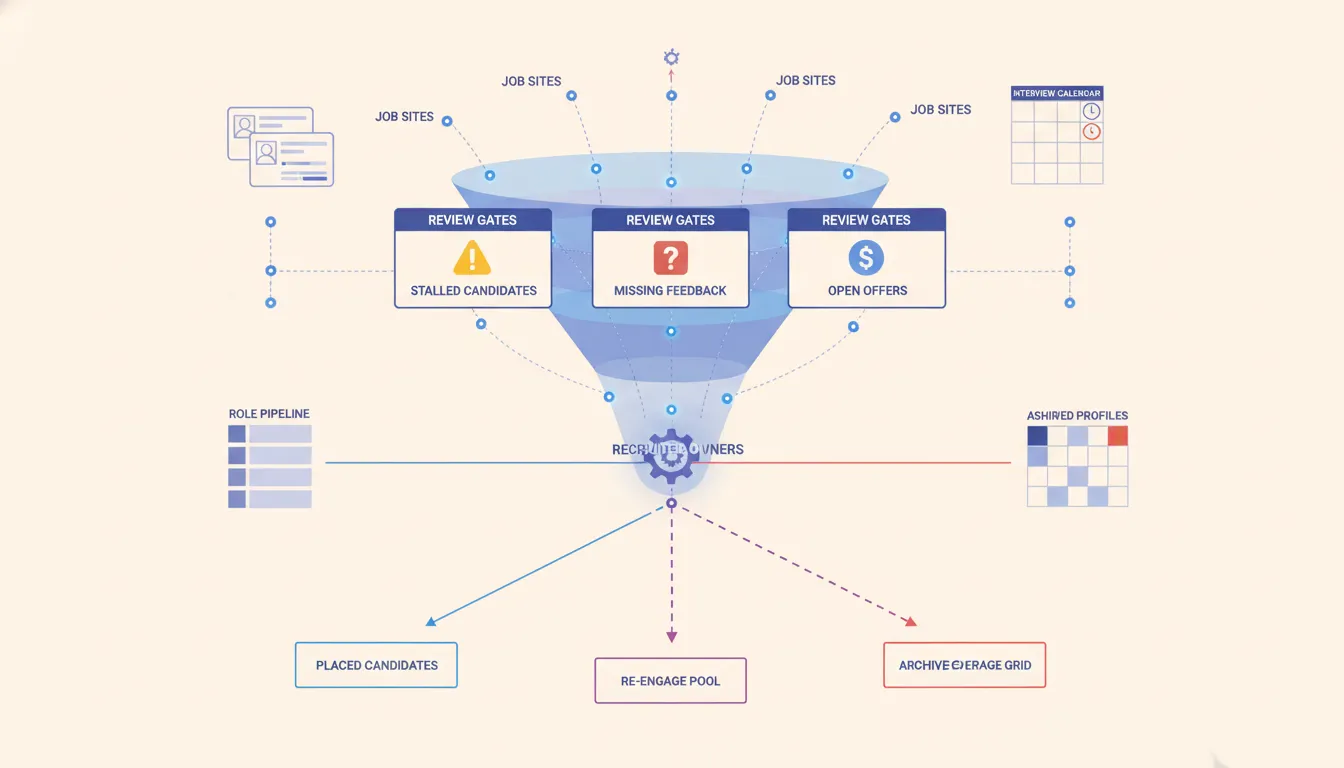
The cleanest first build is a recruiting exception queue.
Not a dashboard with twenty charts. Not a full ATS migration. Not a new CRM rollout. A queue.
The queue should show the cases that need human attention today:
- Candidate waiting on recruiter review.
- Client submission waiting on feedback.
- Interview completed with no scorecard.
- Offer aging without contact.
- Candidate reply marked positive but unassigned.
- Great previous candidate matched to a new role but not contacted.
Each row needs an owner, reason, due time, source system, and recommended next action. If the row does not have those fields, it is just another report. For teams with federal contractor exposure or formal compliance obligations, keep recordkeeping and selection consistency visible too. OFCCP oversight is a reminder that recruiting operations are not just speed systems. They are evidence systems.
You do not need every tool to become one tool. You need one reliable operating truth for the handoff that keeps breaking.
For recruiting teams, the source systems are usually an ATS, inbox, calendar, LinkedIn, job board exports, call notes, and sometimes a CRM. The exception queue can sit above those systems and tell the team what needs attention without replacing the systems underneath.
That is where n8n consulting often fits. The useful work is not a fancy AI demo. It is connecting the ATS event, inbox reply, calendar status, and task owner into a workflow that survives daily recruiting mess.
Recruiting workflow automation after the queue works
Once the exception queue is trusted, automation can move closer to action.
Start with internal actions:
- Create recruiter tasks when candidate records are missing required facts.
- Notify the owner when hiring manager feedback ages past the agreed window.
- Add structured notes to the ATS after a call summary is reviewed.
- Move stale offer follow-up into a priority lane.
- Build a weekly silver-medal review list for roles that reopened.
Then add external drafts:
- Candidate check-in drafts.
- Hiring manager feedback chase drafts.
- Client update drafts.
- Re-engagement drafts for previous strong candidates.
Only after those are reliable should the team consider approved autonomous sends for low-risk, low-variance messages. Even then, keep opt-outs, audit logs, and human override visible.
The operating test is whether automation reduces forgotten work without creating weird candidate experiences. If candidates start receiving tone-deaf messages because the workflow does not understand context, slow it down. A recruiting workflow should protect trust, not spend it.
The useful proof point is not a larger name count. It is a measured change in the work queue: clearer qualification, visible exceptions, and structured attention on the right records. Browse evidence-backed case studies for implementations whose public claims stay inside that evidence boundary.
The CRM and ATS question comes later
Teams often ask whether they need a better ATS, a recruiting CRM, or a custom workflow layer.
The honest answer is that you cannot answer that until you map the handoff.
If your ATS has the right API access, clean custom fields, and webhooks, it can remain the source of truth. If the ATS traps data behind a plan tier or makes automation brittle, you may need a separate operating layer. If the real issue is client development and follow-up, the CRM selection question may matter more than the ATS.
Do not buy the replacement first. Prove the workflow shape first.
A small recruiting firm can usually get meaningful lift from a lightweight architecture: ATS as candidate record, inbox and calendar as signal sources, workflow automation as routing, and an exception queue as the daily operating surface. That is less glamorous than a platform migration. It is also faster to prove.
When not to automate the recruitment workflow yet
Do not hire me, or anyone else, to automate a recruitment workflow that the team cannot explain in plain language.
If recruiters disagree on who owns candidate review, managers will not commit to feedback windows, or leadership wants AI to hide a broken intake process, automation will hard-code the mess. Fix the operating rule first. Then connect the tools.
It is also not worth automating a low-volume desk where one coordinator can see every candidate and every client by memory without dropped handoffs. In that case, write the rules down, review the exceptions weekly, and wait until volume creates real leakage.
The weekly scorecard
A recruitment workflow is improving when the team can see work moving without asking for status.
Track these numbers weekly:
- Candidates with no next action.
- Average time from source to first recruiter review.
- Average time from submission to client or manager feedback.
- Interviews completed without scorecards.
- Offers open without a same-day owner.
- Positive replies unassigned after business hours.
- Silver-medal candidates reviewed for new matching roles.
These are operating metrics, not vanity funnel metrics. They tell you whether the workflow is protecting attention.
If those numbers improve, you can decide where automation should act next. If they do not improve, do not add more AI. Fix ownership, source of truth, and exception routing first.
The practical path is boring on purpose: map the money-changing handoffs, build one exception queue, keep AI in review mode, and promote actions only after the team trusts the queue.
That is what a recruitment workflow is supposed to do. It gives recruiters fewer dropped balls, hiring managers clearer asks, candidates faster answers, and owners a real view of where the desk is leaking.
If you already know the handoff that keeps breaking, start with that. If you do not, run the AI Operations X-Ray and make the leakage visible before you buy the next tool. And if the next decision is what to buy, the recruiting automation buyer's guide lays out the rent-versus-own cost math before any vendor gets your number.
Related field notes
FAQ
Frequently asked questions
01What is a recruitment workflow?
A recruitment workflow is the operating sequence that moves a candidate from source to decision, including ownership, review rules, scheduling, feedback, offer follow-up, and reactivation. It is broader than an ATS pipeline because it includes the work that happens in inboxes, calendars, scorecards, and manager conversations.
02Where do recruiting workflows usually break?
They usually break at handoffs: sourced candidate to recruiter review, recruiter screen to hiring manager feedback, interview completed to decision, offer sent to follow-up, and rejected candidate to future nurture. The ATS may show a stage, but the next action often lives in someone's inbox or memory.
03Should AI make candidate decisions inside a recruiting workflow?
Usually no. AI is useful for extracting structured facts, detecting missing information, summarizing conversations, routing exceptions, and drafting next actions. It should not silently reject candidates or become the decision owner unless the company can audit and defend that decision process.
04What should a small recruiting firm automate first?
Automate the first handoff where delay changes revenue or candidate experience. For many firms, that is new lead intake, sourced candidate review, interview feedback chase, or hot candidate follow-up. Start with a review queue before letting automation send anything externally.
05How do you measure whether a recruitment workflow is improving?
Track time to first review, time from interview to feedback, candidates with no next action, aging offers, stale hiring manager tasks, and reactivation touches on silver-medal candidates. These metrics show whether work is moving, not just whether records exist.
06What is recruiting workflow automation?
Recruiting workflow automation connects your ATS, inbox, and calendar so stalled work surfaces on its own, such as missing feedback, aging offers, and unassigned replies. I start it in review mode, where the system prepares the next action and a recruiter approves it. Autonomous sends come later, and only for low-risk messages.
