
Field note
May 8, 2026
How to create an AI agent that survives production
Most 'how to create an AI agent' tutorials build a toy demo. Production agents look different. After building a few hundred, here is the architecture that actually holds up under real volume, real edge cases, and real money.

Search for "how to create an AI agent" and the top results are a tutorial that wires up a chat loop, gives the model two tools, and calls it an agent. Run that thing in production for a week and it falls over. The problem is not the framework. The problem is that an agent in a tutorial and an agent in production are two different shapes, and the tutorial only shows you the first one.
I have built somewhere around 300 to 400 production agents at this point, across recruiting, used-car dealers, law firms, facilities ops, and a half-dozen other ICPs. The tutorial-shape agents account for none of them. The production shape is the one I am going to walk through.
What "agent" actually means in production
 In a tutorial, an agent is a
 while loop. The model gets a message, decides to call a tool, gets the result, decides what to do next, loops until done. That is fine for a demo. It is the wrong abstraction for anything you want to run unattended for 30 days.
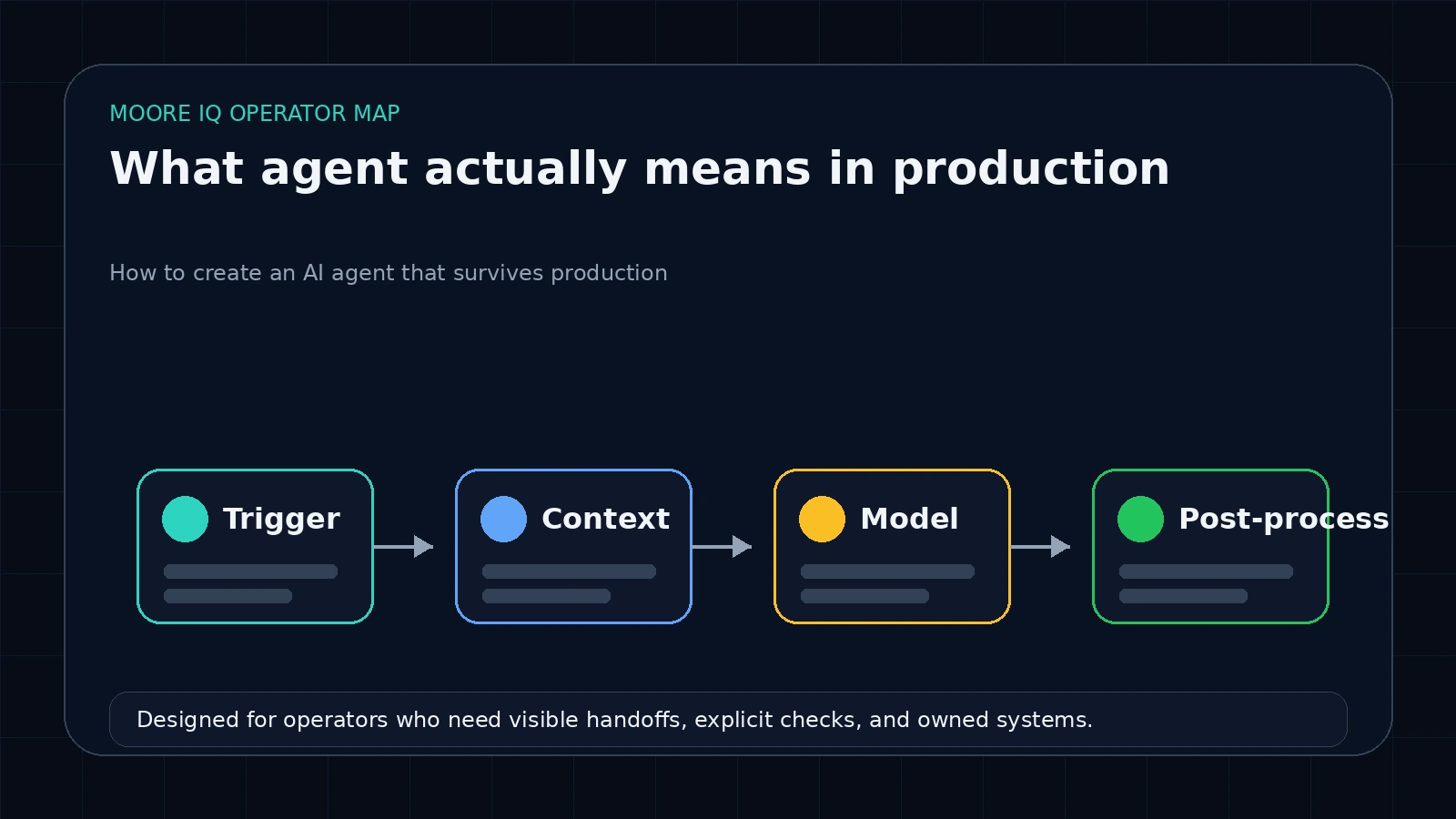
A production agent is closer to a workflow with a model in the middle. The system has a defined entry point (a webhook, a cron, a queue message). It loads structured context. It hands the model a tight set of tools and a job to do. The model produces structured output. A deterministic post-processor decides whether to ship the output, retry, or escalate.
That last sentence is the entire shape. The deterministic boundaries on either side of the model are what make the system reliable. The model is the brain in the middle. The brain is necessary, but it is not the agent. The agent is the system around the brain. The same boundary question matters when choosing open-source AI agent ownership instead of a managed runtime.
The four parts every production agent has
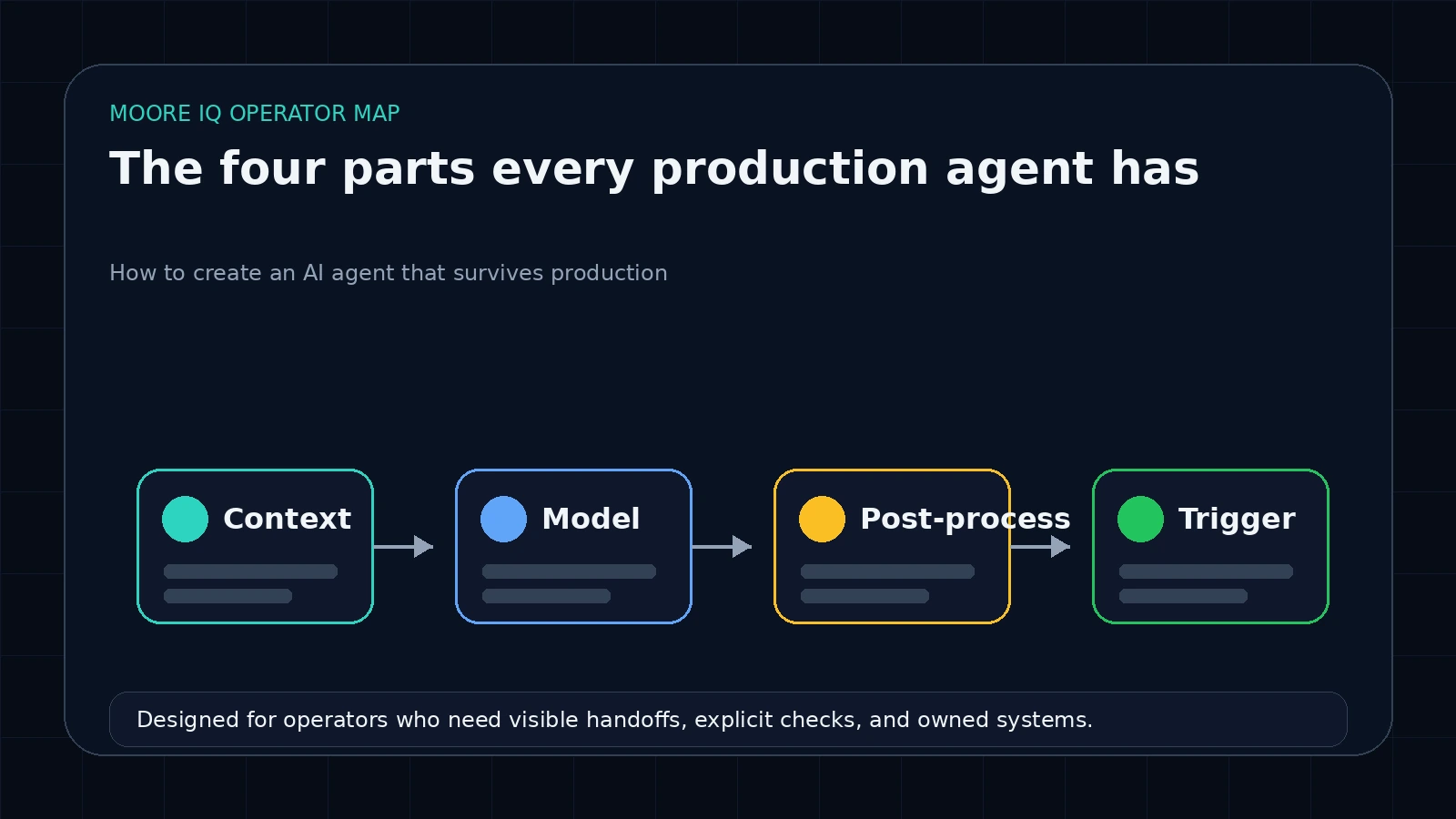 Every reliable agent I have shipped has the same four pieces. The implementations differ, the responsibilities do not.
1. The trigger. Webhook, scheduled cron, queue message, file upload, inbound email. The trigger fires the run. It is not the agent's job to decide when to run. Anything that mixes "should I run" with "what should I do" produces a system you cannot debug. Keep the trigger boring.
2. The context loader. This is the part that makes or breaks the agent and almost no tutorial covers it. Before the model is invoked, your code pulls the relevant context: prior conversation history, the lead record from the CRM, the inventory database query, the policy doc snippet, whatever the model needs to do its job. You hand the model a structured payload, not "here's everything, figure it out."
The mistake I see most is teams pulling too much context. A 50,000-token system prompt with the full company knowledge base attached every run is wasteful and degrades quality. Pull the 5 to 10 most relevant chunks, hand them over, move on. If you need RAG, use RAG. The MCP layer is built for exactly this kind of structured context retrieval and is worth using when the context source is large and shared across multiple agents.
3. The model with a tight tool set. Three to seven tools, well-named, with clear input schemas. The system prompt tells the model what its job is, what the tools do, and what the output format must be. The model thinks, calls tools as needed, and produces structured output. That is its entire job.
The single biggest failure mode in hobbyist agents is unbounded tool use. Twenty tools, half of them overlapping, no system prompt structure, the model spending most of its tokens deciding which tool to call. Fix that by removing tools. If a tool gets called less than 10 percent of the time across 100 runs, it should not exist or it should be merged with a related tool.
4. The deterministic post-processor. The model returns structured output. Your code validates it against a schema, applies business rules, and decides what happens next. Ship the output. Retry with more context. Escalate to a human. Reject and log. The post-processor is where production agents earn their reliability. The model can be wrong. The post-processor catches the wrong outputs before they ship.
Skip the post-processor and you have a tutorial agent that ships hallucinations to your customers. Build the post-processor and you have a system that runs unattended.
The system prompt is doing more work than you think
When teams say their agent is unreliable, the model is usually fine. The system prompt is the problem.
A production system prompt has five sections, in this order.
Identity and goal. Two sentences. Who the agent is, what it is doing, who it is doing it for. "You are a fleet operations triage agent. You read inbound driver messages, classify the urgency, and either route them to dispatch or auto-acknowledge."
Tool documentation. What each tool does, when to use it, what it returns. Models read this carefully. Sloppy tool descriptions produce sloppy tool use.
Output schema. What the response must look like. JSON shape, required fields, allowed enum values. The model is much more reliable when it knows exactly what shape to produce.
Examples. Two or three. One happy path, one edge case, one explicit "when not to act." Examples teach the model the boundaries faster than rules do.
Hard rules. What the agent must never do. Use this sparingly. Three to five hard rules max. Long lists of "do not do X" prompts get ignored.
The order matters. Identity first, tools next, schema third, examples fourth, hard rules last. Anthropic's tool use documentation, OpenAI's agents guide, and the LangChain agents overview are the sources I keep handy when I am writing a fresh system prompt.
The three retry patterns that hold up
Models fail. Production agents handle the failure. The three patterns I reach for, in order of preference.
Same-input retry. The model returned malformed output, hit a transient API error, or got confused. Retry the exact same call once. About 40 percent of model failures resolve on a same-input retry because the failure was transient.
Same-input-with-error-context retry. The first retry failed. Now you pass the original input plus the model's previous (broken) output and a short message describing what was wrong. "The previous response was missing the 'priority' field. Produce the response again with all required fields." Models are good at correcting specific errors when shown the error.
Escalate to a human. Two retries, still failing. Stop retrying. Write the case to a queue, post a Slack alert, move on. Burning tokens on a third retry is rarely worth it. The alert lets a human catch the real edge case.
What goes wrong on day 30
The agent ran clean for the first 4 weeks. Now it is week 6 and you are getting weird outputs. This is the most common production failure I see and it almost always comes from one of three things.
Drift in the source data. The CRM picked up a new field, the form added a new option, the upstream system started sending dates in a different format. The agent looks the same but the input changed. Fix: schema-validate the input at the trigger, not just the output at the end. If the input does not match the expected shape, escalate before the model runs.
Tool surface change. A vendor updated their API, deprecated an endpoint, changed a rate limit. The agent's tool starts failing or returning weird data. Fix: pin tool versions where possible, and instrument every tool call so you can see when one starts behaving differently.
Context bloat. The conversation history accumulates, the knowledge base grew, the agent is now running with twice the context tokens it had at launch. Quality degrades. Fix: hard limits on context size at the loader. Trim aggressively. The model does not need the entire conversation history to make this decision.
The pattern is always the same: the agent did not break, the world around it changed. Production agents are mostly about catching world-change.
When you don't need to build an agent
There is a class of work that gets pitched as "needing an agent" when a 100-line script and a webhook would do. If your task is "when X happens, look up Y, produce Z," and Y has a clean API and Z has a clear format, you almost certainly do not need an agent. You need a workflow.
Use a workflow tool like n8n or a small piece of TypeScript. Save the agent budget for the cases where there is genuine judgment in the middle, where the right answer depends on reading context that does not fit a deterministic rule.
You don't need us, or anyone, to build you an agent for a task a workflow handles. Build the workflow first. Add the agent only when the workflow keeps escalating to humans for the same recurring decision.
Where to start
If you are starting your first production agent, build it in this order.
Pick one job. Not the whole automation surface, one job. Think "triage inbound dealer leads," not "handle the entire BDC."
Define the trigger and the output. What fires it, what does it produce, who consumes the output. Write that down before you write any code.
Build the deterministic post-processor first. Hardcode a fake "model output" object and run your post-processor against it. Make sure your validation, retry, and escalation logic works before the model is involved.
Then add the model. Three to five tools, tight system prompt, structured output. Wire it up.
Run it on real input for 50 to 100 cases in a non-production mode (write to a staging table, not the live CRM). Read every output. Adjust the prompt and tools.
When 90 percent of the staging outputs are clean, switch to live with a human-review step before anything ships outside. Run that for two weeks. When the human-review approve rate is above 95 percent, drop the human review for the easy cases and keep it for the hard ones.
That is how production agents get built. The tutorials skip the entire second half of that list.
FAQ
Frequently asked questions
01What is the difference between an AI agent and an AI workflow?
A workflow runs a fixed sequence of steps. An agent decides which step to take next based on context. The line is fuzzy. In practice, the most reliable production agents are mostly deterministic workflows with one or two model-decided branches at the points where rule-based logic would be too brittle. Pure end-to-end agents that "figure it out" on every run are unreliable for anything where wrong answers cost money.
02How many tools should an AI agent have?
Three to seven for most production agents. More than seven and the model spends most of its tokens deciding which tool to call rather than doing the work. If you find yourself wanting to add a 10th tool, the right move is usually to combine related tools into one, or to split the agent into two specialized agents that hand off to each other.
03Should I use Claude, GPT-4, or an open-source model for my agent?
For most B2B production work, Claude Haiku or Sonnet is the right default. Tool use is reliable, structured output is well-supported, and the API surface is stable. GPT-4 is fine and roughly equivalent for most tasks. Open-source models work if you have specific cost constraints or compliance requirements, but the engineering overhead is real and only worth it past a certain volume.
04How do I prevent an AI agent from hallucinating critical fields?
Three things. First, structured output with a JSON schema validator on the model response. Second, deterministic checks on the parsed output, like a regex on phone numbers or a date-range check on dates. Third, a confidence threshold that escalates to a human or retries with more context when the model is uncertain. Models hallucinate. Production agents catch the hallucinations before they ship.
05How long does it take to build a production AI agent from scratch?
A focused single-purpose agent with three to five tools, a defined trigger, and a clear deterministic post-processor takes a couple of weeks of build plus a couple of weeks of iteration in low-stakes production before you trust it. Anyone who tells you they can ship a production agent in 3 days is showing you a demo, not a system.
