
Field note
Updated Sep 30, 2026
Recruiting automation software: how to pick the right one
How to choose recruiting automation software: keep one source of candidate truth, an owner on every stale file, and people on every hiring decision.


Recruiting automation software should move routine recruiting work faster while keeping candidate truth, ownership, next actions, and human judgment visible. Pick it for one candidate outcome, not the longest feature list. A polished demo that turns the live desk into a mystery box is the wrong buy. I have built enough “simple” recruiting workflows to know that simple usually means the edge cases have not arrived yet.
I cover this as part of my recruiting automation work.
My buying rule is straightforward: choose the operating control around the candidate, not the feature count around the software.
On one recruiting build, I brought 846 submissions into one operating view and caught a candidate who had disappeared from the pipeline entirely. The useful result was not the board itself. It was that stale records had owners, candidate processes stayed distinct, missing feedback became visible, and the team could recover work before another placement opportunity quietly died.
That experience changed how I evaluate these systems. I care less about whether the product can send another message. I care whether it can tell the truth about who is in motion, who owns the next action, what the system changed, and where a person must decide.
Start with one recruiting outcome
Do not begin with “we need recruiting AI.” Begin with one sentence that defines the operating result.
For example:
Every active candidate should have one current process record, a named owner, a visible next action, and an alert before the process goes cold.
That sentence is more useful than a feature list because it forces decisions about scope and proof. It tells the buyer what must be true after the software runs.
I sort opportunities into a few practical lanes:
- Candidate and role intake.
- Process matching and record hygiene.
- Client and hiring-manager feedback.
- Scheduling and interview visibility.
- Recruiter follow-up and stale-work alerts.
- Drafting and communication support.
- Reporting, placement attribution, and recovery.
Pick one lane with a measurable failure. “Candidates go cold without anyone noticing” is testable. “Our team needs AI” is not. The same test applies whether the vendor sells it as recruitment automation software or staffing automation software.
The recruitment workflow field note explains why this matters. Most losses happen between systems and people, not inside one perfect ATS stage.
Keep one source of candidate truth
A recruiting stack often has an ATS, email, calendars, forms, spreadsheets, messaging tools, and a separate dashboard someone created during a particularly optimistic Tuesday. Automation should reduce disagreement between those records, not create another copy.
Before buying, name the authoritative source for:
- Candidate identity.
- Role and client.
- Submission and interview stage.
- Recruiter ownership.
- Client feedback.
- Next action and due date.
- Placement outcome.
The software may read from several places and prepare updates, but the buyer should know which record wins when two systems disagree.
My preferred pattern is to leave the ATS or recruiting CRM authoritative, then add an operating layer that watches handoffs, prepares evidence, and writes back only under explicit rules. The recruiting management system buying test covers the underlying source-of-truth controls in more detail.
This is also why I do not recommend a migration as the first move. If the pain is stale ownership, missed feedback, or weak visibility, replacing the ATS may be an expensive way to preserve the same operating problem in a newer interface.
Separate assistance from authority
Recruiting automation gets risky when a convenient action quietly becomes a consequential decision.
I define authority in steps:
- Read: retrieve candidate, role, client, and communication records.
- Prepare: summarize a thread, draft a message, or propose a stage update.
- Notify: remind an owner or surface an aging process.
- Change: update a stage, field, owner, or task.
- Decide: reject a candidate, advance a process, make an offer, or close a placement.
The first three are usually safer pilot territory. The last two need narrower rules, stronger evidence, and named human authority.
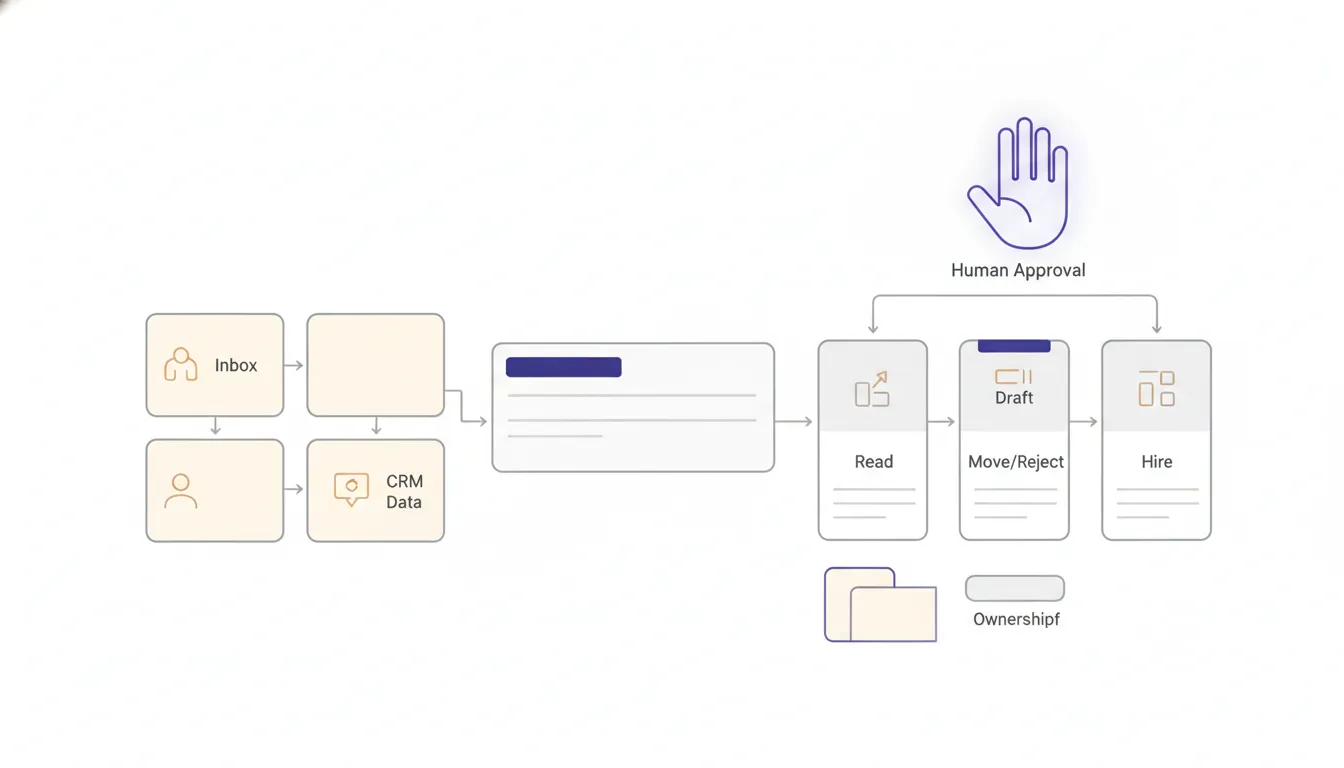
On that 846-submission build, automated stage movement only happened when one active submission matched and the confidence cleared a defined threshold. Ambiguity stopped the update. The system never auto-placed a candidate.
That is the control I want buyers to demand. A model should not turn uncertainty into a database update because the workflow needs a green checkmark.
The ADA hiring technology guidance warns that employers need to understand how hiring technology can screen out qualified people with disabilities and provide reasonable accommodations. The EEOC's AI and algorithmic fairness initiative makes the broader point that employment software still has to comply with federal civil rights laws.
I read both as operating requirements. The buyer owns the consequences even when a vendor owns the model. My AI resume screening post shows how that plays out when a screener quietly drops strong candidates.
Test identity and process matching
Candidate matching is where a useful automation can become confidently wrong.
One person may have:
- More than one email address.
- Several active submissions.
- Similar role titles at different clients.
- A renamed or merged company record.
- Duplicate ATS entries.
- A historical process that looks current.
- A message thread with no reliable role reference.
The system should show why it matched a record. If the evidence supports two possible processes, it should create an exception instead of choosing one.
I would test matching with synthetic and real edge cases:
- One candidate, one active submission.
- One candidate, two active submissions.
- Duplicate candidate profiles.
- A reply with no role name.
- A role title shared by two clients.
- A stale process next to a current process.
- An unknown sender who resembles an existing candidate.
A platform that performs well on perfect records has only passed the vendor demo. The live desk starts with ambiguity.
Make stale work visible to the owner
The highest-value recruiting automation is often not a new sourcing agent. It is a reliable attention list.
A useful stale-work view should answer:
- Which candidate process has not moved?
- How old is the last meaningful activity?
- Who owns the next action?
- Is the blocker internal, candidate-side, or client-side?
- What evidence supports the current stage?
- Has anyone already followed up?
- What happens if the owner does nothing today?
I prefer alerts grouped by owner and client, with a reason and next action. A daily dump of every old record becomes background noise in about two mornings.
This is where Recruiting OS is intentionally narrow. The point is not another universal recruiting suite. It is a pipeline operating layer that reads the systems the desk already uses and puts attention where the team already works.
The staffing pipeline case study shows the same pattern from the operator side: daily visibility matters when it gives each stale item an owner and action, not when it produces another chart.
Evaluate bias, notice, and accommodation as workflow gates
Buyers should not wait until procurement is finished to ask how an automated tool affects candidates.
New York City's automated employment decision tool guidance describes requirements around bias audits, public audit information, and notices for covered tools. Even when that specific law does not apply, it gives buyers a practical question set:
- Is this tool making or substantially assisting a covered decision?
- What inputs influence the result?
- Can the operator inspect and challenge the output?
- What notice reaches the candidate?
- How does a candidate request an accommodation or alternate process?
- What data supports bias testing?
- Who owns monitoring after launch?
The NIST AI Risk Management Framework is voluntary, but its core instinct is useful: manage risk across design, development, use, and evaluation instead of treating review as a one-time launch task.
My practical version is simpler. Name the decision, name the owner, preserve the evidence, test the failure, and repeat the review after the workflow changes.
Run a failure drill before rollout
A recruiting automation pilot should try to break the operating lane.
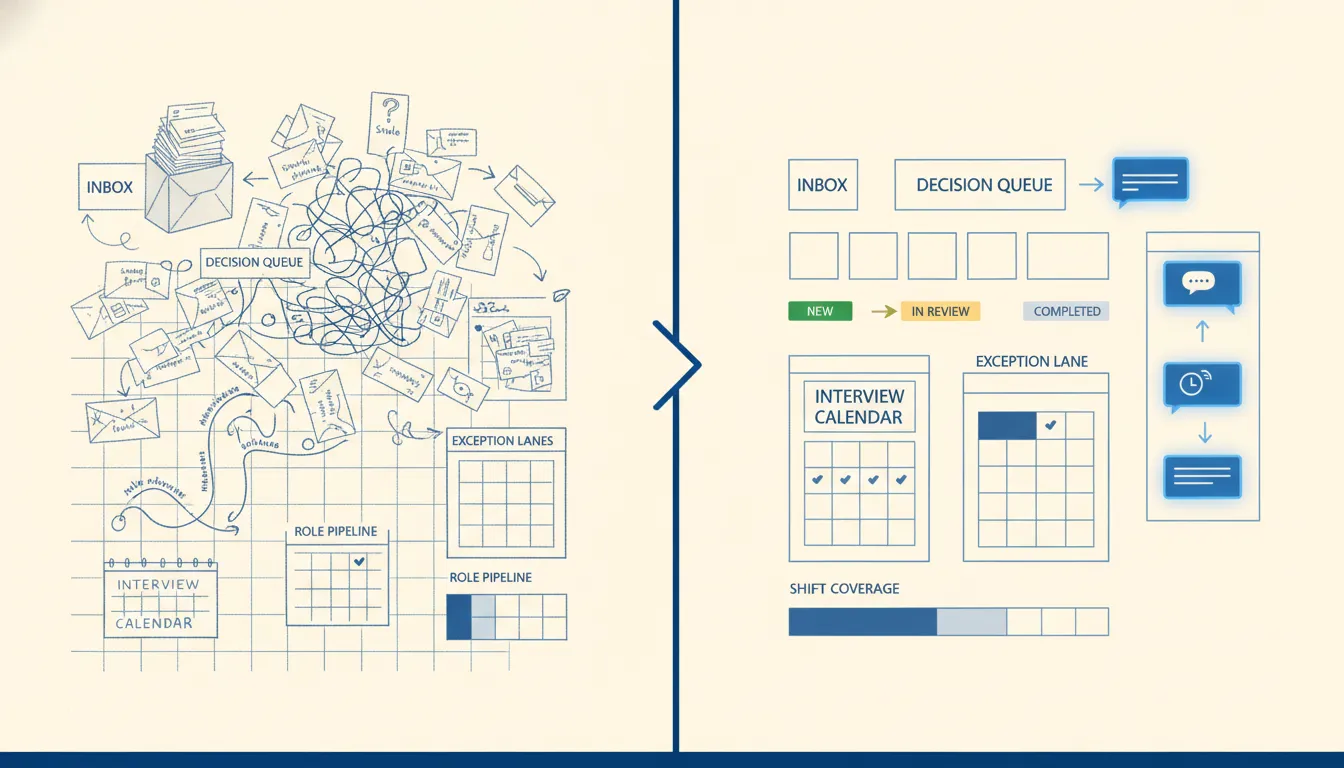
I would run at least these scenarios:
- Missing client feedback: the candidate ages into an owned alert without being rejected automatically.
- Ambiguous match: the system stops and shows both possible processes.
- Duplicate candidate: the workflow avoids creating a second active record.
- Wrong owner: the alert routes through an escalation rule instead of disappearing.
- Revoked access: the connector fails loudly and preserves the last known state.
- Bad model output: no database change occurs without the required evidence.
- Provider outage: the job retries within a ceiling, then creates a visible failure.
- Human correction: the operator can repair the record and safely replay the work.
- Export and exit: the firm can retrieve its records, rules, and audit history.
The same principle applies to any sensitive people operation, including HR. A green automation run is not proof that the right person moved through the right process.
When not to hire me for recruiting automation
You do not need me when one packaged product already covers the workflow, your records are clean, the standard integrations preserve the source of truth, and your team can configure ownership, alerts, permissions, audit history, and export without custom work.
In that case, buy the product. Keep the pilot narrow, name the owners, test the exceptions, and document the recovery path.
A custom layer becomes reasonable when:
- The process crosses several systems.
- Candidate matching needs firm-specific evidence rules.
- Client feedback arrives through channels the packaged tool does not control.
- The team needs guarded write-back instead of blind synchronization.
- Standard reporting hides ownership or stale work.
- The firm needs client-owned infrastructure, data, and credentials.
- The required exception and recovery behavior is not available in the product.
I would rather tell a buyer to configure the software they already own than build a custom layer around an undefined process.
My final buying test
I would choose recruiting automation software that can prove one candidate outcome without hiding judgment, ownership, or recovery.
The product should demonstrate seven things:
- One source of truth remains authoritative.
- Candidate and process matches include evidence.
- Stale work reaches a named owner.
- Assistance does not quietly become decision authority.
- Bias, notice, and accommodation controls are part of the workflow.
- Exceptions stop safely and can be repaired.
- The firm can export its data and operate without vendor captivity.
The best software demo will show speed. The better buying decision asks whether the desk can trust the record, explain the decision, recover the failure, and still own the operating system after the demo ends.
If one recruiting lane keeps leaking candidates, my page for recruiting firms shows the handoffs I usually fix first.
FAQ
Frequently asked questions
01What is recruiting automation software?
Recruiting automation software moves routine recruiting work such as record updates, reminders, scheduling, drafting, and pipeline reporting. The useful product also preserves candidate truth, ownership, judgment, exceptions, and evidence.
02What should a recruiting firm automate first?
Start with a repeated handoff that has a clear owner and measurable failure, such as candidates going cold, missing client feedback, or manual pipeline roll-calls. Keep the first pilot narrow enough to test with real records and exceptions.
03Should recruiting software automatically reject candidates?
I would not start there. Automate retrieval, reminders, evidence collection, and proposed updates first, then keep rejection and hiring decisions behind a named human with the full record visible.
04How do I evaluate recruiting automation software?
Test source-of-truth behavior, candidate matching, ownership, permissions, bias controls, accommodation paths, exception handling, audit history, export, and recovery. Use real edge cases rather than a clean vendor demo.
05When is a custom recruiting automation layer worth it?
A custom layer becomes reasonable when the process crosses several systems, the firm has specific operating rules, packaged integrations cannot preserve the source of truth, or the team needs controls and evidence the standard product cannot provide.
06Is recruitment automation software different from staffing automation software?
Mostly the label differs, not the job. Both move routine work like record updates, reminders, and follow-up. Staffing desks usually add client feedback and placement tracking, so I test those handoffs with real records before anyone buys.
