
Field note
Sep 5, 2026
AI agents explained: what business buyers need to know
AI agents explained for business buyers: what an agent is, how it differs from a workflow or chatbot, where it fits, and what controls it needs.

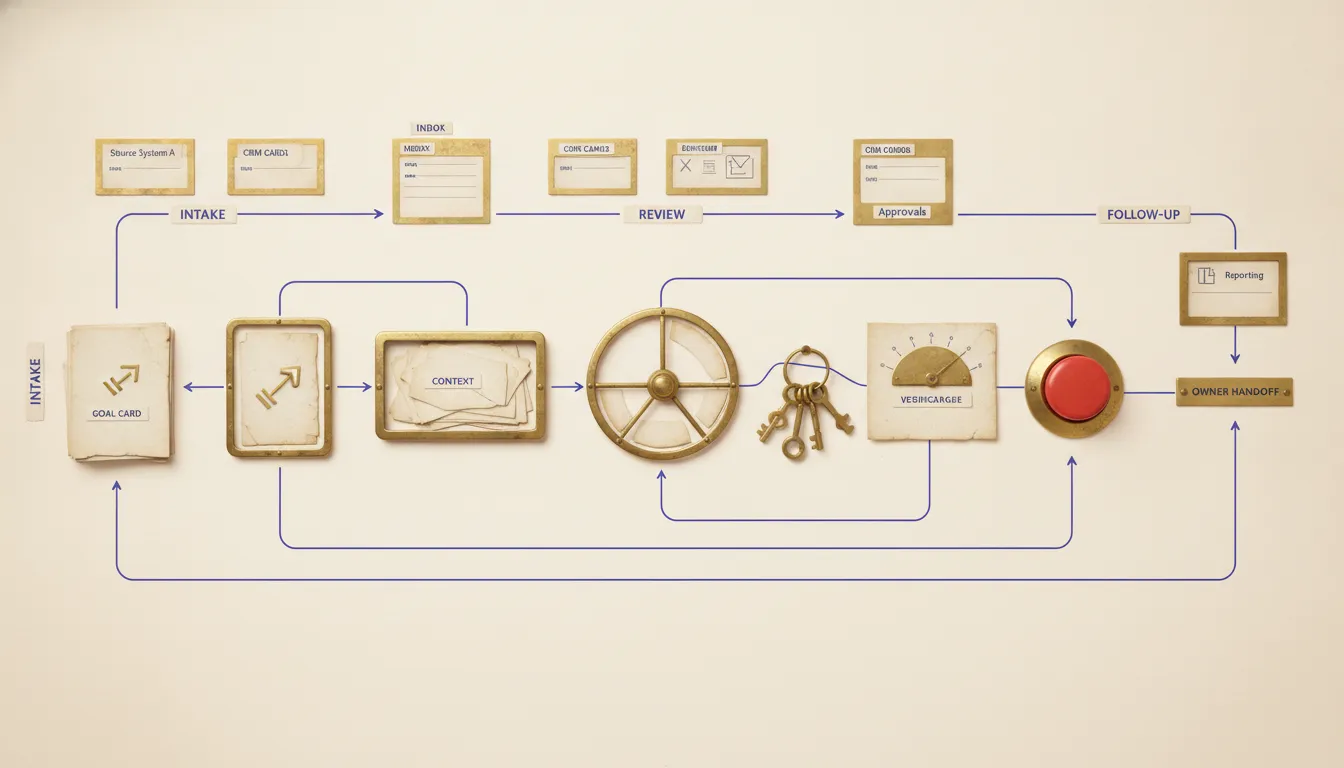
AI agents explained without the science-fiction language are fairly simple: an agent is software that interprets a goal, reads relevant context, chooses a next step, uses approved tools, and checks what happened. The model provides flexible judgment. The surrounding system provides instructions, data, permissions, state, validation, and recovery.
That last sentence matters more than the word agent.
I see buyers get shown a model completing an impressive task, then assume they have seen the product. They have not. They have seen one component make a decision. The real product is everything required to turn that decision into a reliable business outcome.
My rule is simple: do not buy an AI agent until you can explain its job, authority, evidence, and recovery in plain language.
AI agents explained as an operating loop
A useful agent repeats a controlled loop:
- Observe: read the goal, current state, and approved evidence.
- Decide: choose a next step from the allowed options.
- Act: use a tool or hand work to another system.
- Verify: read the destination and confirm the expected result.
- Stop or continue: finish, retry within a limit, or create an owned exception.
OpenAI's practical guide to building agents describes the foundational pieces as models, tools, and instructions. I would add operating state, verification, and recovery to the buyer's checklist. Without them, the system can produce intelligent-looking activity without proving that the job was completed.
Consider a support request. The agent might read the message and account status, decide whether the issue is billing or technical, retrieve the relevant policy, prepare a reply, and route an exception to the right owner. If the account lookup fails or two customer records match, it should stop rather than invent certainty.
That is an operating loop. It is not a personality.
The AI agent workflow guide goes deeper on how the loop fits into a real operation. The useful starting point is always one business promise with a named owner.
What an AI agent is not
The market uses agent to describe several different products. Buyers should separate them.
An agent is not just a chatbot
A chatbot takes a message and returns an answer. It may use documents or conversation history, but the expected output is still a response.
An agent can use tools and alter the state of work. It might create a draft, retrieve a record, compare documents, update a queue, or trigger a workflow. That ability creates value, but it also creates consequence.
The distinction is not whether the interface looks conversational. The distinction is whether the system can do something beyond generating an answer.
An agent is not ordinary workflow automation
A fixed workflow follows a known route: when this happens, validate these fields, call this service, and write to this destination.
An agent becomes useful when context changes the route. It may need to decide which records matter, which tool to call, whether evidence is sufficient, or when the case belongs with a person.
Anthropic's explanation of workflows and agents makes the same useful distinction. Workflows use predefined code paths. Agents dynamically direct their process and tool use. Anthropic also recommends starting with the simplest pattern that works, which matches my experience.
If the steps are stable, I prefer the workflow. Deterministic work is easier to test, cheaper to run, and easier for an operator to understand. I add agent judgment only where fixed rules cannot handle the real variation.
An agent is not a digital employee
The phrase digital employee hides the questions a buyer should ask. Employees understand context, carry accountability, notice social consequences, and operate inside years of informal knowledge. Software does not inherit those qualities because a vendor gave it a name.
Describe the lane instead:
- Which event starts the work?
- Which records may it read?
- Which decisions may it make?
- Which actions may it take?
- Which conditions force a stop?
- Who owns the exception?
- Which evidence proves completion?
That description is less exciting. It is also much easier to operate.
The six parts of a production AI agent
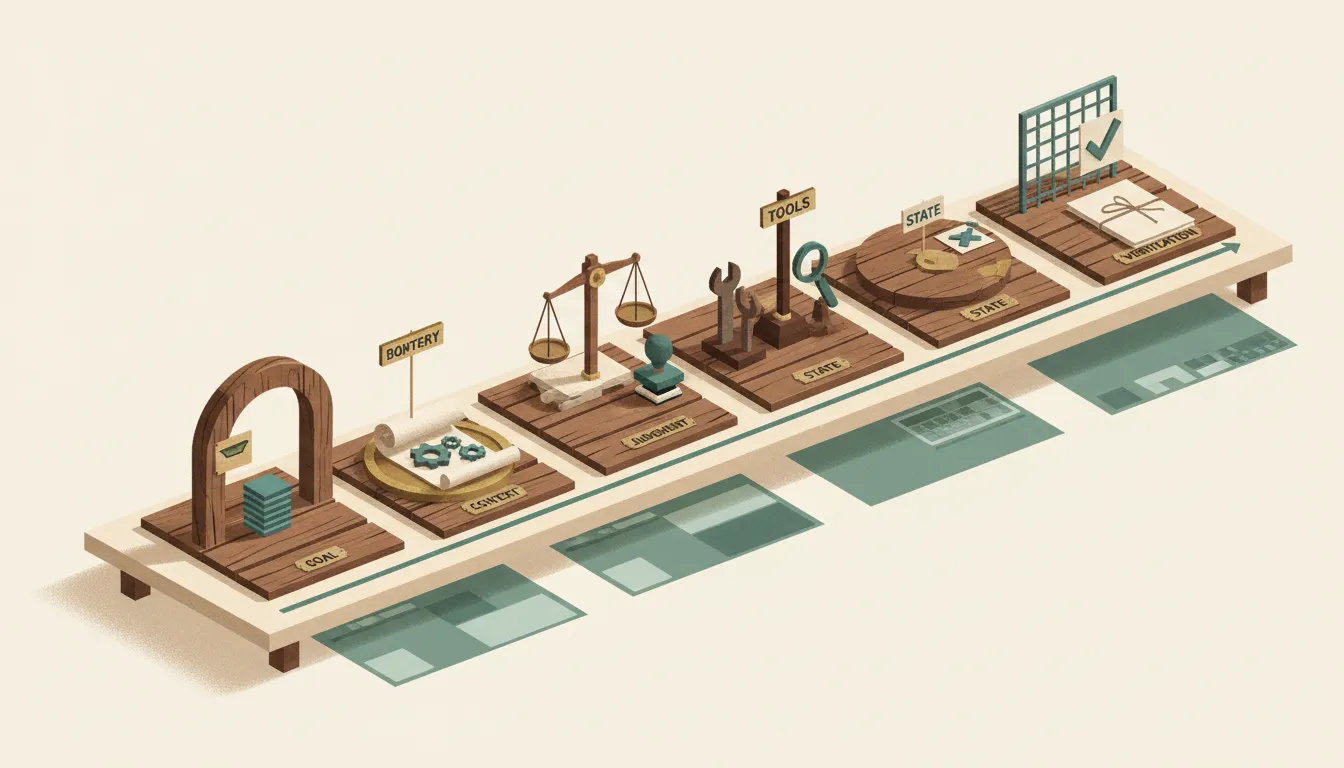
I evaluate an agent as six connected parts.
1. A bounded goal
The goal should name an observable result. “Help with sales” is not bounded. “Prepare a source-backed account brief for every qualified meeting two hours before the call” is.
A bounded goal becomes an acceptance test. It also makes it possible to decide when the system should stop.
2. Approved context
The agent needs the records, documents, messages, and policies required for the job. More context is not automatically better. Extra sources can add stale facts, conflicting status, and sensitive information that the task never needed.
Name the source of truth before connecting the tools. If the CRM owns opportunity stage, the agent should not quietly create a competing stage in its own memory.
The AI Operations X-Ray is built around this problem. It exposes the operating gap, source records, and handoffs before a business adds another layer of software.
3. Flexible judgment
The model handles the part that cannot be reduced to a stable rule. It might interpret intent, compare evidence, classify an exception, plan a short sequence, or draft a recommendation.
Judgment is useful when the route changes. It should not replace deterministic checks such as required fields, duplicate detection, permission rules, totals, or destination validation.
4. Controlled tools
Tools let the agent retrieve information or take action. Each tool should have the least authority required for the job.
I separate authority into practical levels:
- Read evidence.
- Prepare a result.
- Recommend an action.
- Notify an owner.
- Change a record.
- Send externally.
- Spend money or trigger a financial event.
Most pilots should start near the top of that list. Permission to prepare a CRM update is not permission to write it. Permission to draft a customer reply is not permission to send it.
The operator authority test provides a fuller framework for deciding where approval belongs.
5. Durable state
The agent needs to know what has already happened. State prevents duplicate actions, preserves evidence between steps, and makes interrupted work recoverable.
It should be possible to tell whether an item is new, in progress, waiting, completed, failed, or safely stopped. A conversation window is not a durable operating ledger.
6. Verification and recovery
A tool call returning success is not proof that the business outcome exists. The agent should read the destination when possible and compare the result with the acceptance rule.
If verification fails, the system needs a bounded retry policy and an owned exception. It should never loop indefinitely, silently discard the item, or mark work complete because the model sounded confident.
NIST's AI Risk Management Framework organizes trustworthy AI work around governing, mapping, measuring, and managing risk. For one operating lane, my practical version is smaller: name the owner, map the consequence, measure the result, and make the stop control real.
Why the handoffs matter more than the model demo
On one live build, an appointment identifier survived the conversation layer but disappeared at the dispatcher handoff. The first component had the right value. The downstream function expected it. The connection between them silently dropped it.
The model was not the problem. The system boundary was.
The repair preserved the identifier through the payload, validated that it reached the destination, and finished with 43 passing tests. That experience reinforced an opinion I bring to every agent project: intelligence inside one step cannot compensate for missing evidence between steps.
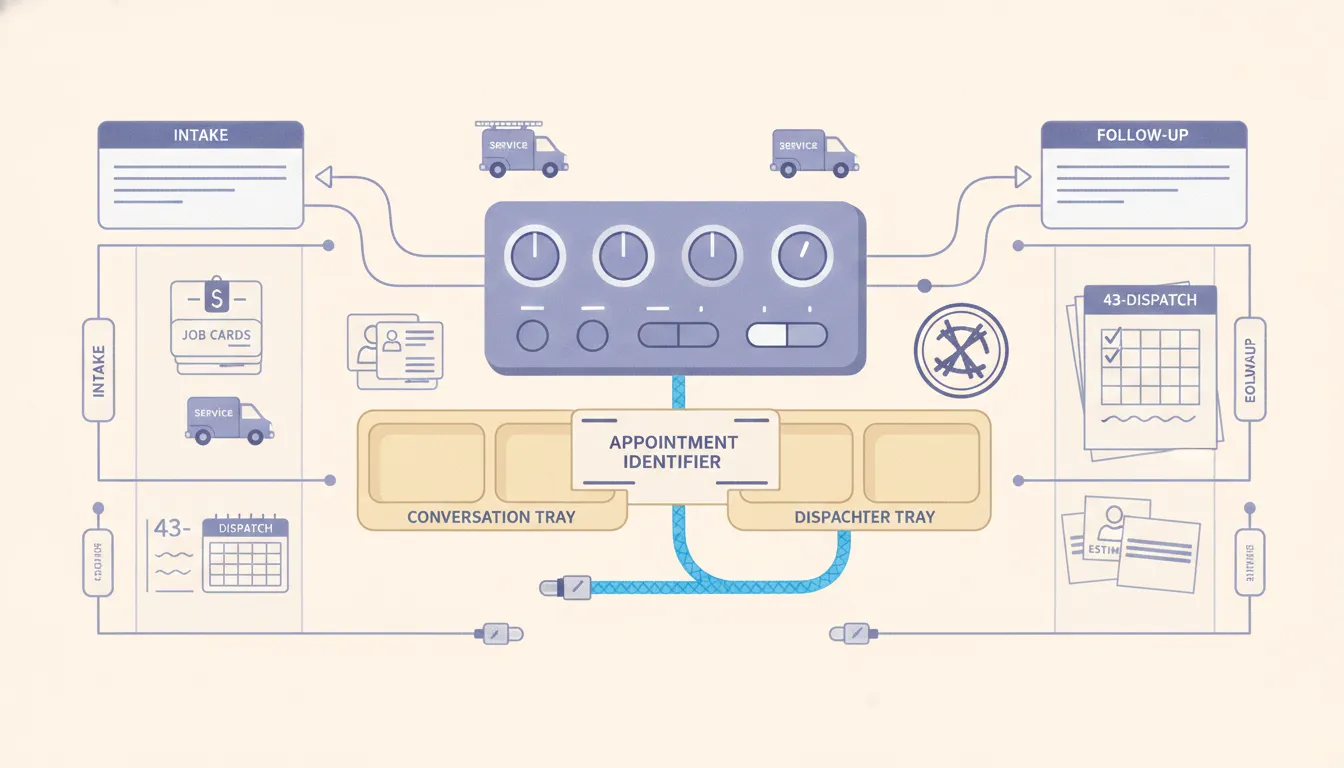
This is why I ask buyers to inspect the handoffs:
- Does identity survive every step?
- Does the chosen action carry its source evidence?
- Can a retry create a duplicate?
- Can stale state override the current record?
- Does a successful run appear in the destination?
- Can an operator see and replay a failed item?
A polished demo normally proves the model can handle one clean example. Production quality is revealed by the unglamorous details between components.
The same principle appears in a sales intelligence reporting system I delivered. Gathering data was only useful after the system reconciled sources and returned one inspectable operating result. Collection alone was not the outcome.
When a business should use an AI agent
An agent is a reasonable fit when all of these are true:
- The business outcome is valuable and repeated.
- The route changes based on context.
- The agent can access enough evidence to make the choice.
- The action can be bounded by permissions and policy.
- The result can be verified.
- One operator owns exceptions and improvement.
- Failure is recoverable.
Good early lanes often include research, document comparison, exception analysis, case routing, reply preparation, intake review, and source-backed recommendations.
The common pattern is not “replace a role.” It is “own one evidence-rich handoff.”
Business process automation services are the better frame when that handoff crosses several tools. The agent may provide judgment, but the operating design still has to cover records, rules, integrations, ownership, monitoring, and recovery.
When not to hire us for an AI agent
Do not hire us to build an agent when a fixed workflow is the better answer. I would not use an agent when:
- The trigger and steps are predictable.
- A native software feature already solves the problem.
- A checklist removes the error.
- The business cannot define a correct result.
- The source records are unreliable and nobody owns cleanup.
- The volume does not justify another system.
- The proposed action is irreversible but the evidence is weak.
- The process changes every week.
A form, saved view, validation rule, scheduled report, or ordinary integration may be enough. Custom AI is not a maturity badge.
If a deterministic workflow solves 90 percent of the lane, I keep it deterministic and use agent judgment only for the exceptions. This produces a smaller, more testable system than asking one general-purpose agent to manage every branch.
A buyer's seven-question test
Before approving an agent project, I want clear answers to seven questions.
- What exact business promise does it own?
- Which record is authoritative when systems disagree?
- What may it read, prepare, change, send, or spend?
- What evidence must support each consequential action?
- How is the destination verified after the action?
- Who owns exceptions, corrections, and the stop decision?
- How does the business recover or exit without losing its records and rules?
The practical work of creating an AI agent that survives production begins after those answers exist. Starting with architecture before the operating boundary usually produces complexity without control.
My recommendation
Think of an AI agent as a bounded operating loop, not an artificial person. It observes approved context, applies flexible judgment, uses controlled tools, preserves state, verifies the result, and stops safely when the evidence is not good enough.
Start with one reversible lane. Keep the authoritative record outside the model. Separate preparation from action. Test duplicates, missing identifiers, stale instructions, tool failures, and destination read-back before expanding authority.
That is the useful version of AI agents explained. The model is important, but the business value lives in the whole system around it: a clear job, narrow authority, visible proof, and recovery an operator can actually use.
FAQ
Frequently asked questions
01What is an AI agent in simple terms?
An AI agent is software that can interpret a goal, inspect relevant context, choose a next step, use approved tools, and check the result. The model supplies judgment, while instructions, tools, permissions, state, validation, and recovery turn that judgment into an operating system.
02How is an AI agent different from a chatbot?
A chatbot mainly returns an answer. An agent can also take bounded steps through tools, such as retrieving a record, preparing an update, routing an exception, or triggering an approved workflow. The important difference is controlled action, not a human-like personality.
03How is an AI agent different from workflow automation?
A fixed workflow follows a predefined route. An agent can choose among allowed routes when the context is variable. Stable tasks should usually stay deterministic, while judgment-heavy exceptions may justify an agent.
04What should a business automate with an AI agent first?
Start with one repeated, evidence-rich handoff where the outcome has a named owner and errors are reversible. Good pilots often retrieve, classify, prepare, recommend, or route work before they receive permission to change records or communicate externally.
05What controls does an AI agent need?
A production agent needs a trusted source of truth, least-privilege access, explicit action limits, visible evidence, validation before consequential writes, retry ceilings, an owned exception path, destination read-back, and a practical stop and recovery procedure.
